![4 Color_Transparent_Horizontal_Canal Logo (1).png]](https://help.canalinsurance.com/hs-fs/hubfs/4%20Color_Transparent_Horizontal_Canal%20Logo%20(1).png?width=200&height=80&name=4%20Color_Transparent_Horizontal_Canal%20Logo%20(1).png)
Article Content
The onboarding pledge is sent to customers via the welcome email after a policy is activated. This article explains how to check pledge status for a single policy, view all pledges at once, and access pledge reports.
Check pledge status for a policy
- In HubSpot, navigate to CRM > Policy.
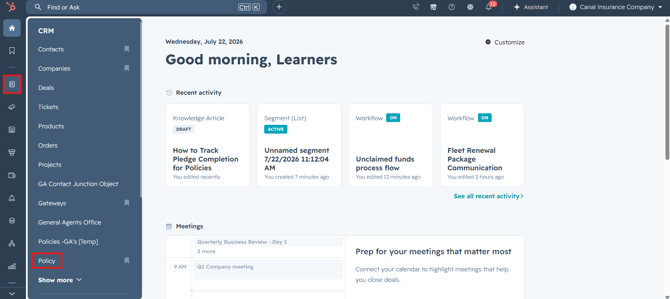
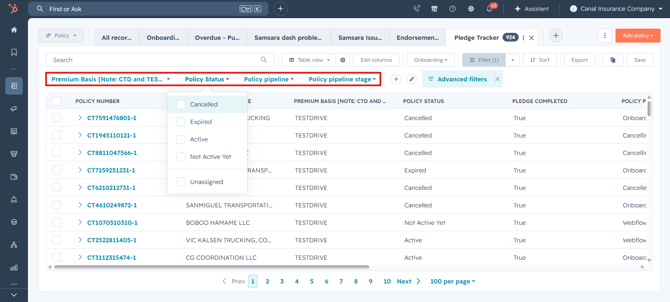
- Click the Pledge Tracker tab at the top of the page.
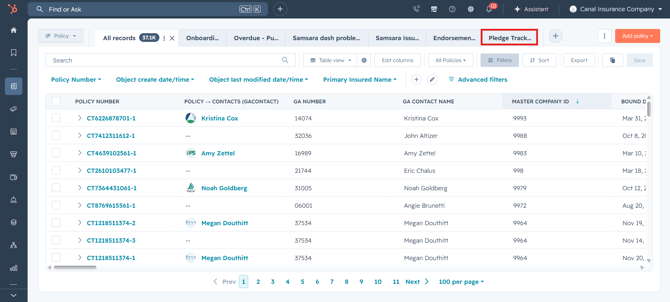
- This view shows all policies where the pledge has been completed.
- To find a specific policy, use the search bar at the top of the view and enter the policy number.
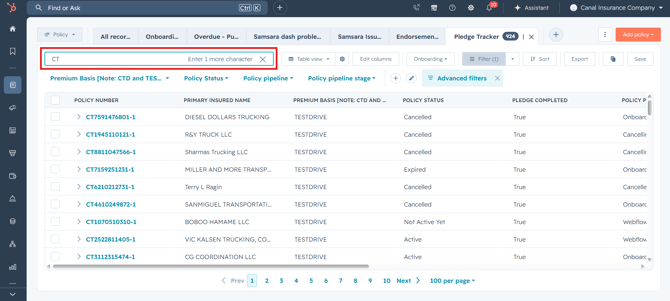
- Use the quick filters at the top to narrow results:
- Premium Basis — filter by onboarding type (TESTDRIVE, CTD, etc.).
- Policy Status — filter by Active, Cancelled, or Expired.
- Policy Pipeline — filter by Onboarding, Rewrites, or other pipelines.
- Policy Pipeline Stage — filter by specific stage.
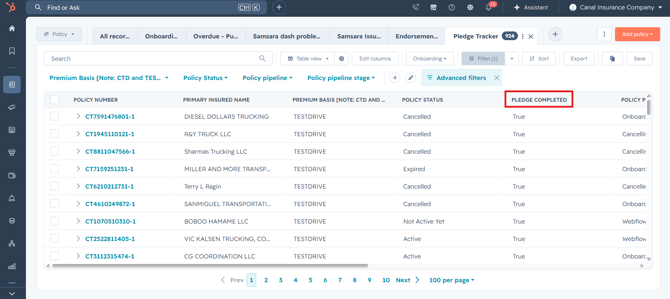
- The Pledge Completed column shows the status:
- True = the customer has signed the pledge.
- No value = the pledge has not been signed yet.
View pledge reports
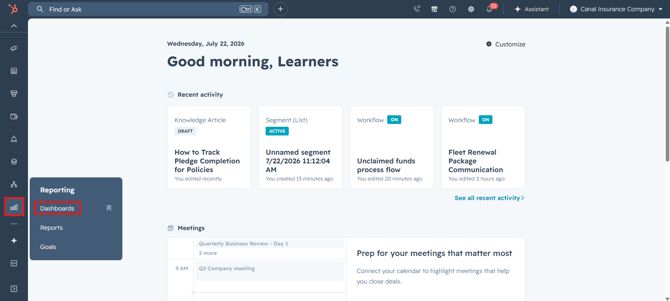
- In HubSpot, navigate to Reporting > Dashboards.
- Select the Pledge Reporting dashboard.
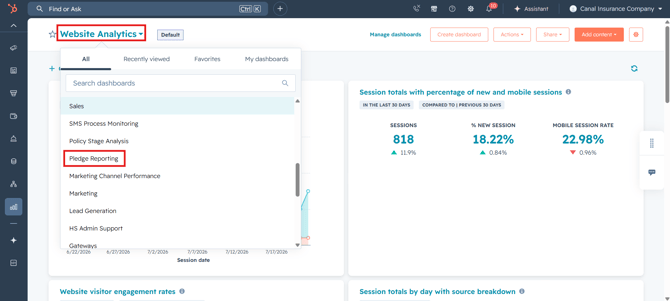
The dashboard contains five reports:
-
Pledges Sent — Total number of policies where the welcome email (with the pledge link) was sent.
-
Pledges Completed — Total number of policies where the customer has signed the pledge.
-
Monthly Trend (Sent vs Completed) - TestDrive — Month-by-month bar chart showing how many pledges were sent and completed each month for TestDrive.
-
Monthly Trend (Sent vs Completed) - MPC/DRIVEN — Month-by-month bar chart showing how many pledges were sent and completed each month for MPC/DRIVEN.
-
Pledge Completion by Onboarding Type — Breakdown by Premium Basis showing which customer types have the highest and lowest completion rates.